 trimoji
 Assessment Campaigns
Understanding the purpose
What are Trimoji Assessment Campaigns for?
A Trimoji assessment campaign allows you to organize the sending of an evaluation to a group of candidates, centralize feedback, and facilitate tracking throughout the process. Practically, Trimoji allows you to send questionnaires to candidates, then analyze the results within the platform and, depending on your configuration, in your ATS.
The campaign primarily serves to frame, standardize, track, and share useful information to make decisions and conduct exchanges in a more structured manner.
Benefits
Why launch a campaign instead of managing case by case?
Standardize evaluation
A campaign ensures that all candidates go through the same evaluation process, making comparisons fairer and more transparent.
Save time on operations
By grouping sending, tracking, and access to results, you reduce back-and-forth and streamline pre-selection and shortlisting.
Provide a clear framework for stakeholders
The campaign structures a repeatable process for HR, managers, or agencies.
Features
What you can do with a Trimoji campaign
A Trimoji campaign allows you to structure assessment delivery with a simple and repeatable process.
1) Name the campaign
Create your campaign by giving it a clear name for easy retrieval (job title, client, recruitment wave, cohort, etc.).
2) Add tags
Add tags to organize your campaigns and facilitate sorting (scope, team, seniority, location, client, urgency, etc.).
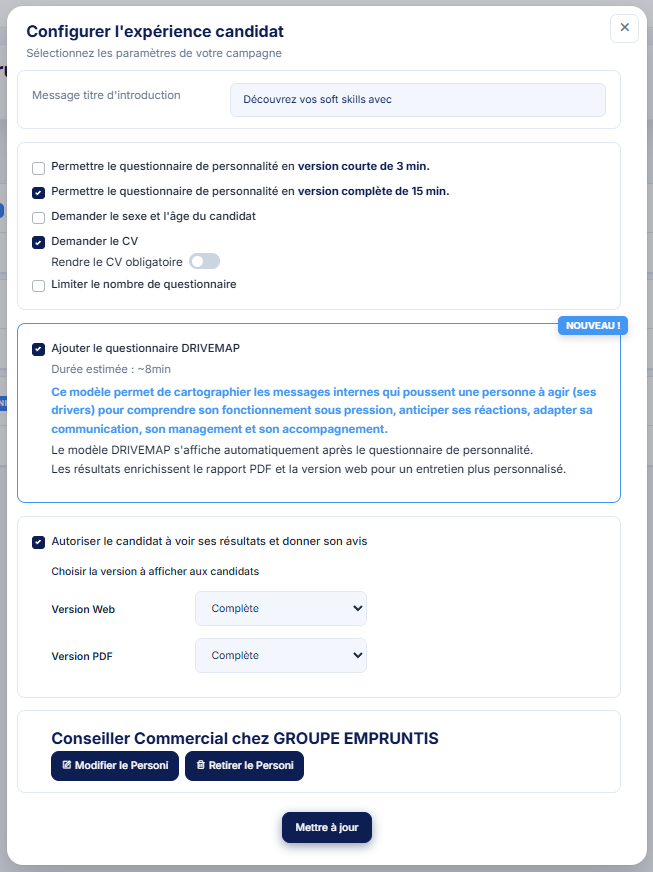
3) Configure your campaign
Define the campaign details according to your needs (questionnaire type, CV request, addition of specific questionnaires, version to show the profile, etc.).
4) Create and choose your sending method
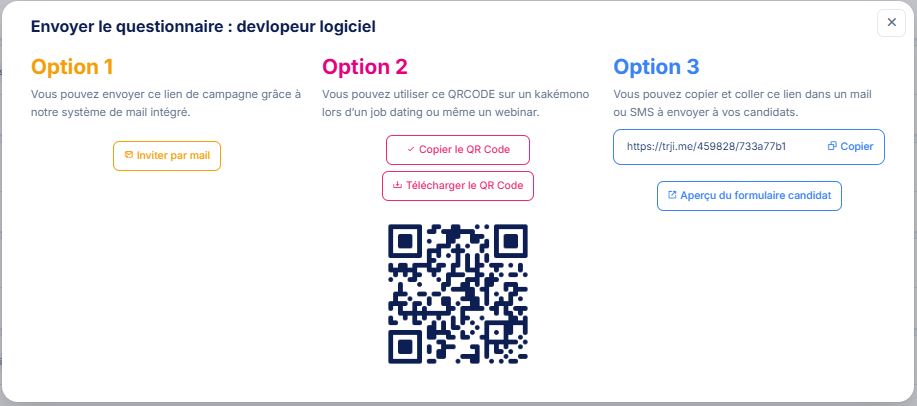
Launch the campaign and choose your sending method from 3 options, depending on your organization and process.
Bonus option: create a campaign linked to a job brief (Personi)
You can also create a campaign linked to a job brief via Personi, to align the evaluation with a needs profile from the start.
Step-by-step process
How does it work?
Step 1: Prepare the campaign
Create your campaign and, if necessary, start from a Personi or associate one to define the target profile.
Step 2: Send the evaluation to candidates
Sending is possible via a campaign link or from an ATS, depending on your integration.
Step 3: Track completion and centralize results
Once the questionnaire is completed, results are available, including in the ATS when the integration allows.
Step 4: Utilize the results
Use the results to compare, prepare for interviews, and produce deliverables, according to your process (recruitment, consulting, coaching).
Frequently Asked Questions
FAQ
What exactly is a Trimoji assessment campaign?
It's a framework for sending evaluations to candidates, with results centralization and, depending on the case, integration into an ATS.
Can a campaign be created from a Personi?
Yes.
Can a Personi be associated after launch?
Yes.
Can the campaign be sent via a link?
Yes, via a link generated specifically for your campaign.
Do you want to structure your assessment submissions, track completions, and centralize results in a clear process?
Request a Trimoji demo