 trimoji
 Statistics
Presentation
What are statistics in Trimoji used for?
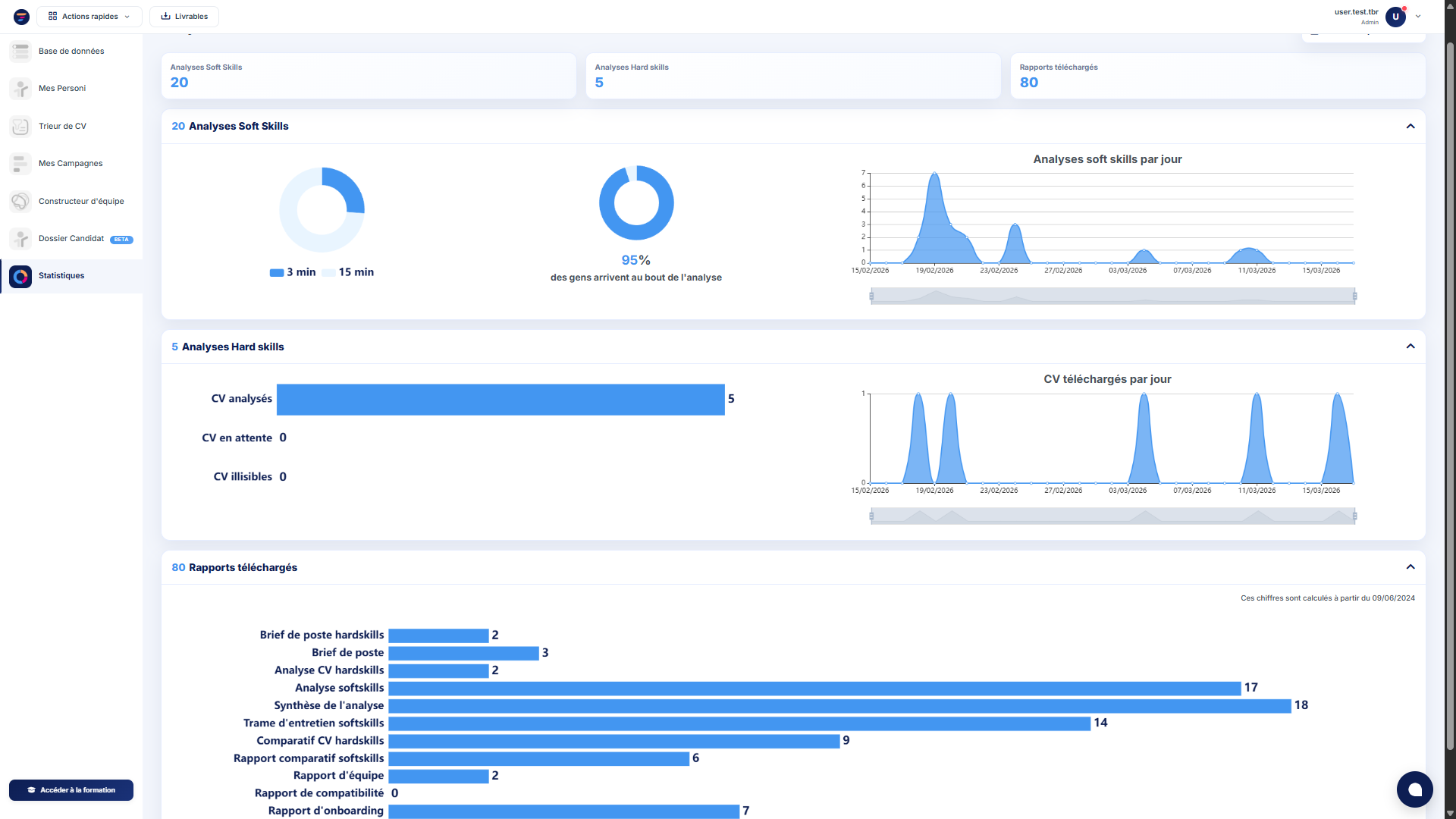
The Statistics feature in Trimoji provides you with a clear overview of platform activity, which is essential for effectively managing your process. It allows you to track the volume of analyses, completion rates, report usage, and CV-related activity to identify what's working, what's causing bottlenecks, and where action is needed.
Statistics are a valuable tool for better understanding the actual usage of the platform and making informed decisions regarding organization, follow-ups, and improving the candidate journey.
Would you like to know more about Trimoji?
Create your test account nowFeatures
What you can track in the interface
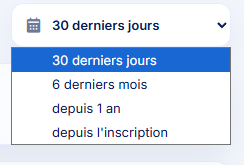
Selectable Analysis Period
You can filter the data display for a specific period (e.g., the last 30 days) to analyze activity over a relevant timeframe.
Analysis Volumes
You can track the number of analyses performed, including:
- Soft skills analyses
- Hard skills analyses

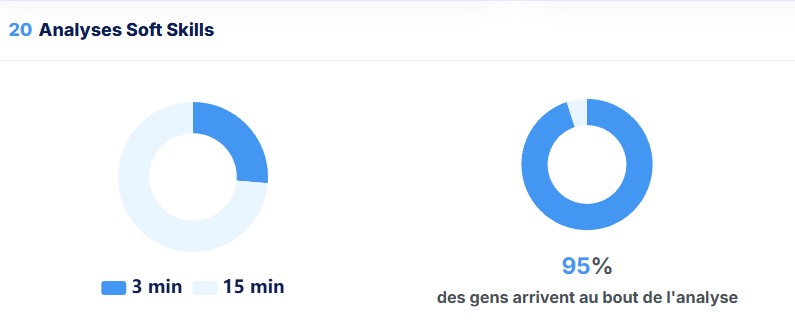
Completion Rate and Types of Questionnaires Taken
A completion indicator is displayed. This is a useful signal for evaluating the fluidity of the candidate journey.
A visualization provides duration benchmarks (e.g., 3 minutes and 15 minutes) to help understand the distribution of observed times.
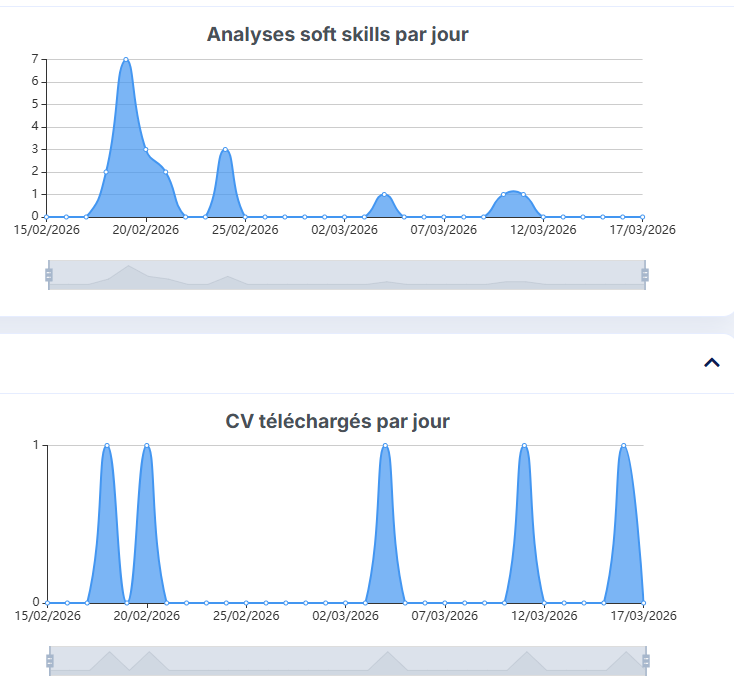
Daily Evolution
Graphs allow you to track activity day by day, including:
- Soft skills analyses per day
- CVs downloaded per day
CV Tracking in Hard Skills Analyses
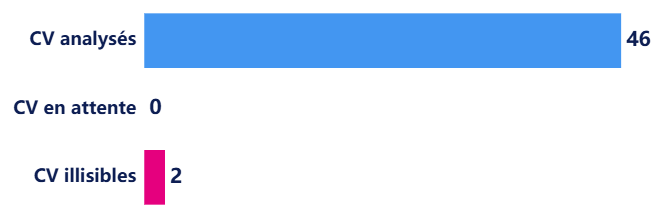
You will find operational statuses for CVs:
- Analyzed CVs
- Pending CVs
- Unreadable CVs
These indicators help quickly identify bottlenecks and the quality of incoming files.
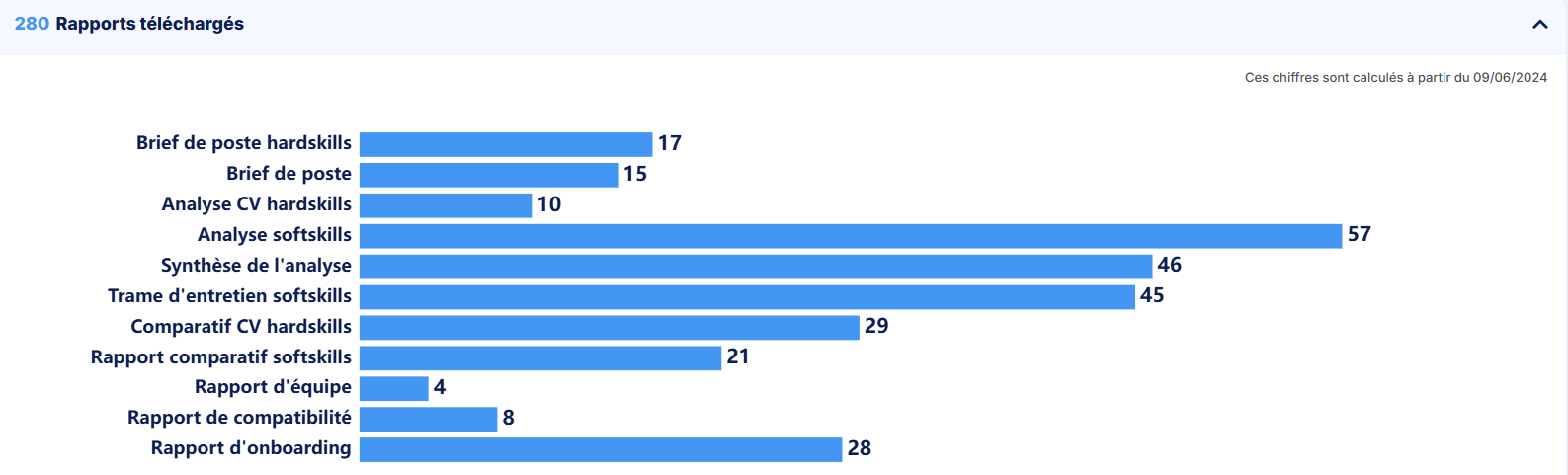
Downloaded Reports
A counter for downloaded reports helps measure the usage of deliverables in your process, not just the analysis production.
CV Credit Usage
Trimoji also displays an indicator for remaining CV credits. This information is available on the CV Sorter and Candidate Dossier pages. It allows you to manage consumption and anticipate your CV processing capacity for the current period.

Benefits
Why is it useful?
Manage Recruitment Process
Daily volumes and activity trends allow you to monitor progress, anticipate workload, and adapt your organization.
Improve Candidate Experience
Completion rates and duration benchmarks help detect potentially too-long processes, lack of explanation, or the need for follow-up.
Identify CV-Related Friction Points
The statuses "pending" and "unreadable" provide concrete signals for quick action (file format issues, document quality, submission stage, need for support).
Track Real Deliverable Adoption
The number of downloaded reports helps measure whether analyses are actually used in discussions and recruitment decisions.
Anticipate Capacity with CV Credits
The credit counter prevents surprises mid-campaign and helps plan usage (volume, peak periods, prioritization).
FAQ
Frequently Asked Questions
Can I filter by period?
Yes, a period filter is available (e.g., the last 30 days).
What is the completion rate for?
It helps verify if candidates complete the process and identify areas for optimization (explanation, timing, follow-up, duration).
What are the CV statuses "analyzed", "pending", "unreadable" for?
They allow for quick identification of processed CVs, blocked items, and problematic files for faster action.
What does the downloaded reports counter represent?
It indicates the usage of downloaded deliverables, helping to measure adoption and the operational value of reports in your process.
What are CV credits for?
They allow you to manage CV processing usage over a period, with a counter for remaining credits visible in the interface.
Would you like to know more about Trimoji?
Create your test account now