
Trimoji × Eolia Software Integration
Automate CV matching and scoring directly in Eolia
Connect Trimoji to Eolia Software to automatically analyze incoming applications and identify the most relevant profiles for your recruitment needs.
Thanks to Trimoji's artificial intelligence, each CV is compared against your job requirements: skills, professional experience, education, and specific demands.
Find your candidates' matching scores directly in Eolia and access detailed analyses to understand the results.
Connection operational within the day. Simpler, faster, and more efficient recruitment.
Why connect Trimoji to Eolia Software?
An ATS enriched by CV matching AI
Eolia Software allows you to centralize applications and manage your recruitment processes. Trimoji enhances your ATS with a CV analysis and matching engine capable of automatically comparing applications against specific job requirements.
You keep your Eolia environment while benefiting from Trimoji's analysis capabilities.
Automatic CV Analysis
As soon as a candidate applies for an Eolia position with Trimoji activated, their CV can be automatically analyzed. The artificial intelligence identifies relevant professional information from the CV and compares it to the criteria defined for the role.
Personalized Matching with Personi
Each recruitment is unique. With Personi, the ideal profile created in Trimoji, define your selection criteria: technical skills, professional experience, education, knowledge, and specific requirements. Adjust their importance using a weighting system to obtain results tailored to each need.
Scoring Directly in Eolia
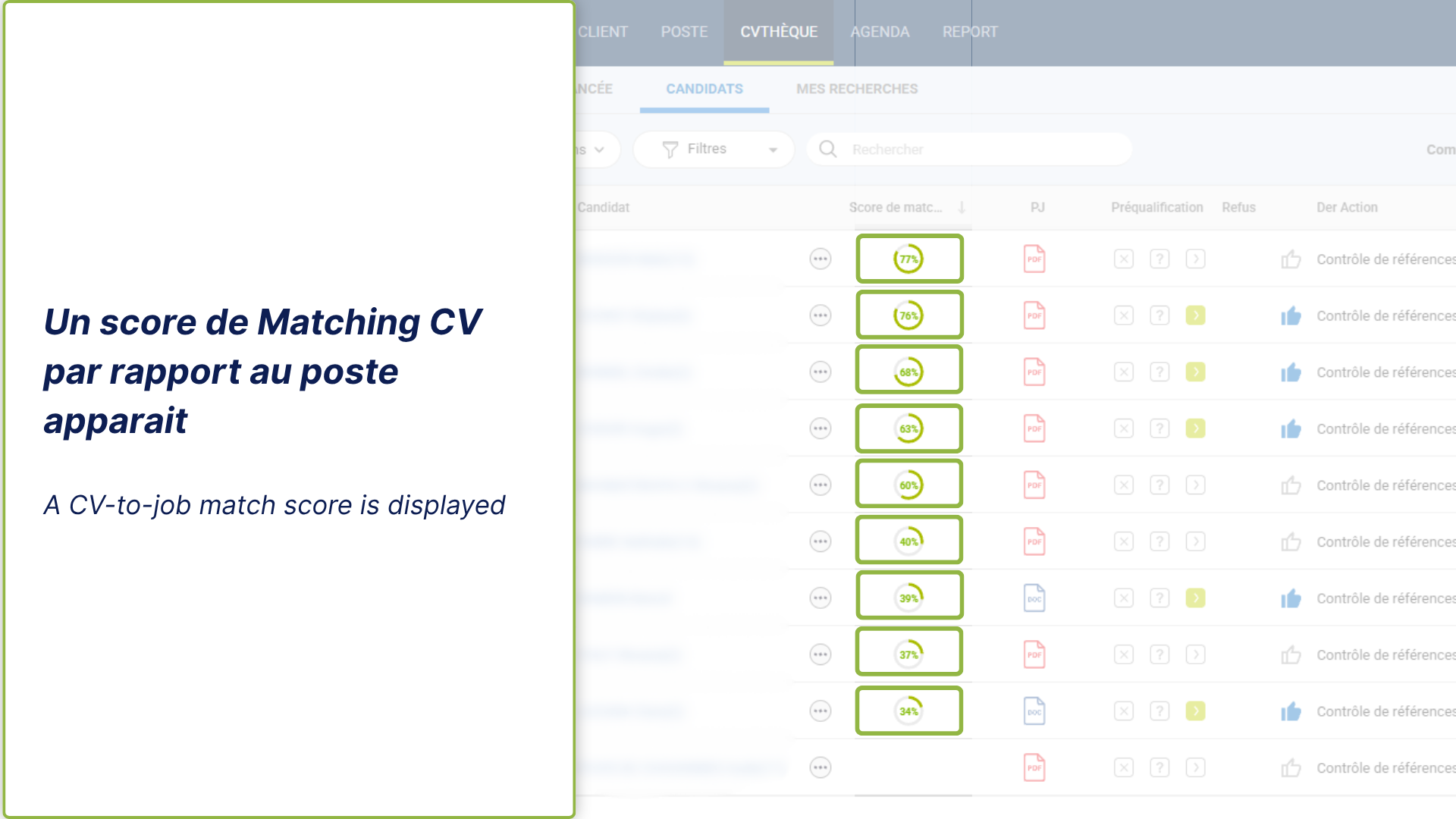
Analyzed CVs receive a matching score against the Personi criteria associated with the position. This score appears directly in your Eolia ATS, eliminating the need to switch interfaces to view initial results.
Explainable Results
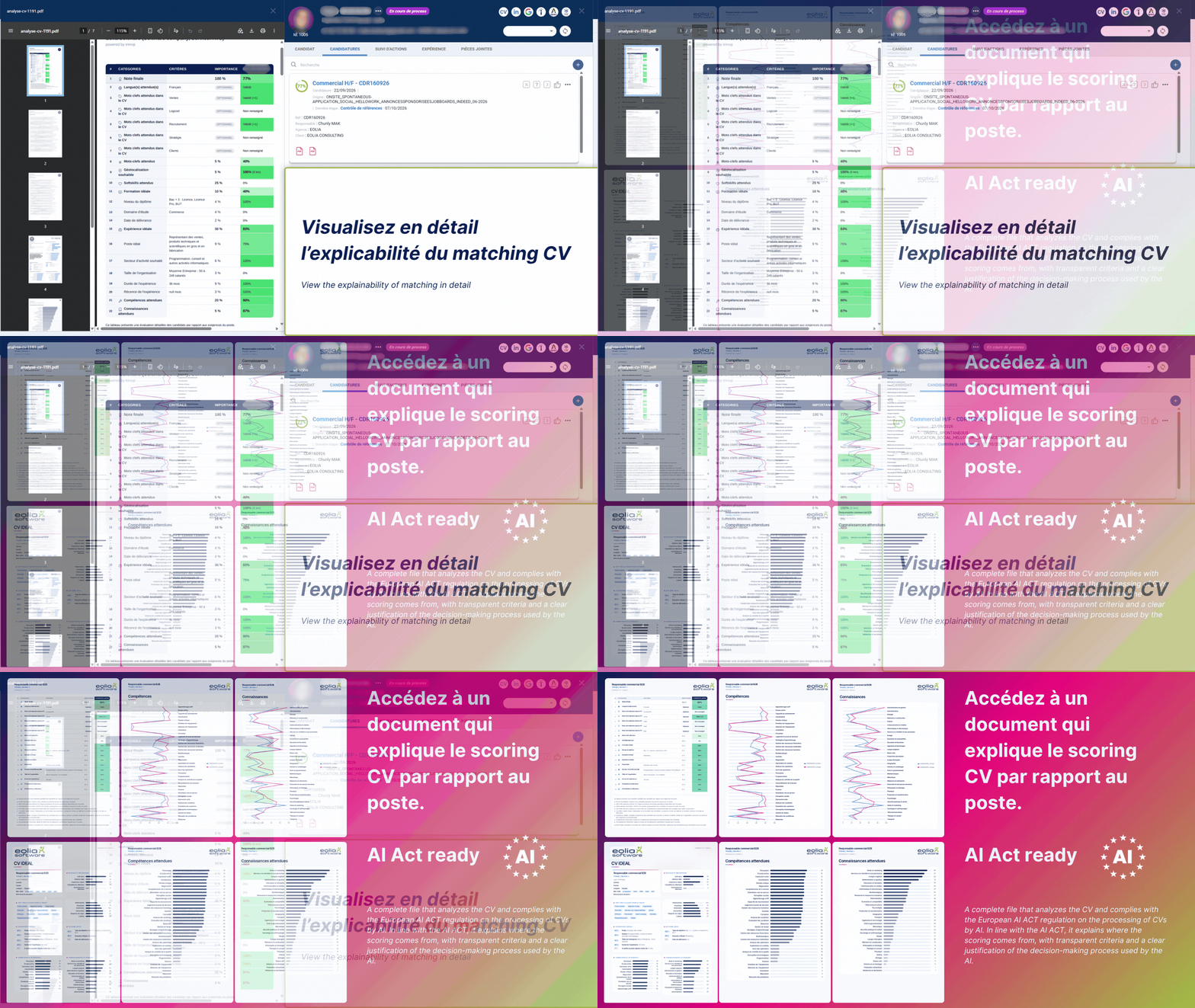
A matching score should be understandable. Trimoji allows you to access the details of the elements considered in the analysis: matching criteria, identified skills, and discrepancies between the CV and job expectations. This provides additional information to interpret the results and prepare for interviews.
On-Demand Analysis
Want to analyze a candidate already in your ATS? From their Eolia profile, trigger a Trimoji analysis and select the job to compare their CV against.
How does Trimoji × Eolia integration work?
The integration relies on an API connection between the two platforms and the activation of a Trimoji trigger on your recruitment openings.
Step 1 - Connect Trimoji to Eolia
From your Trimoji platform, go to the "Integrations" section and retrieve your API key. Securely transmit this key to Eolia support to enable the connection between the two software.
Step 2 - Create your Personi in Trimoji
From the "My Personi" section, create the ideal profile corresponding to your role. Two methods are available:
With the AI assistant: describe your recruitment needs to generate your Personi.
From a job posting: paste the URL of your ad to generate an initial reference.
Then, customize the skills, experience, education, and weightings before saving your Personi.
Step 3 - Activate Trimoji on your Eolia opening
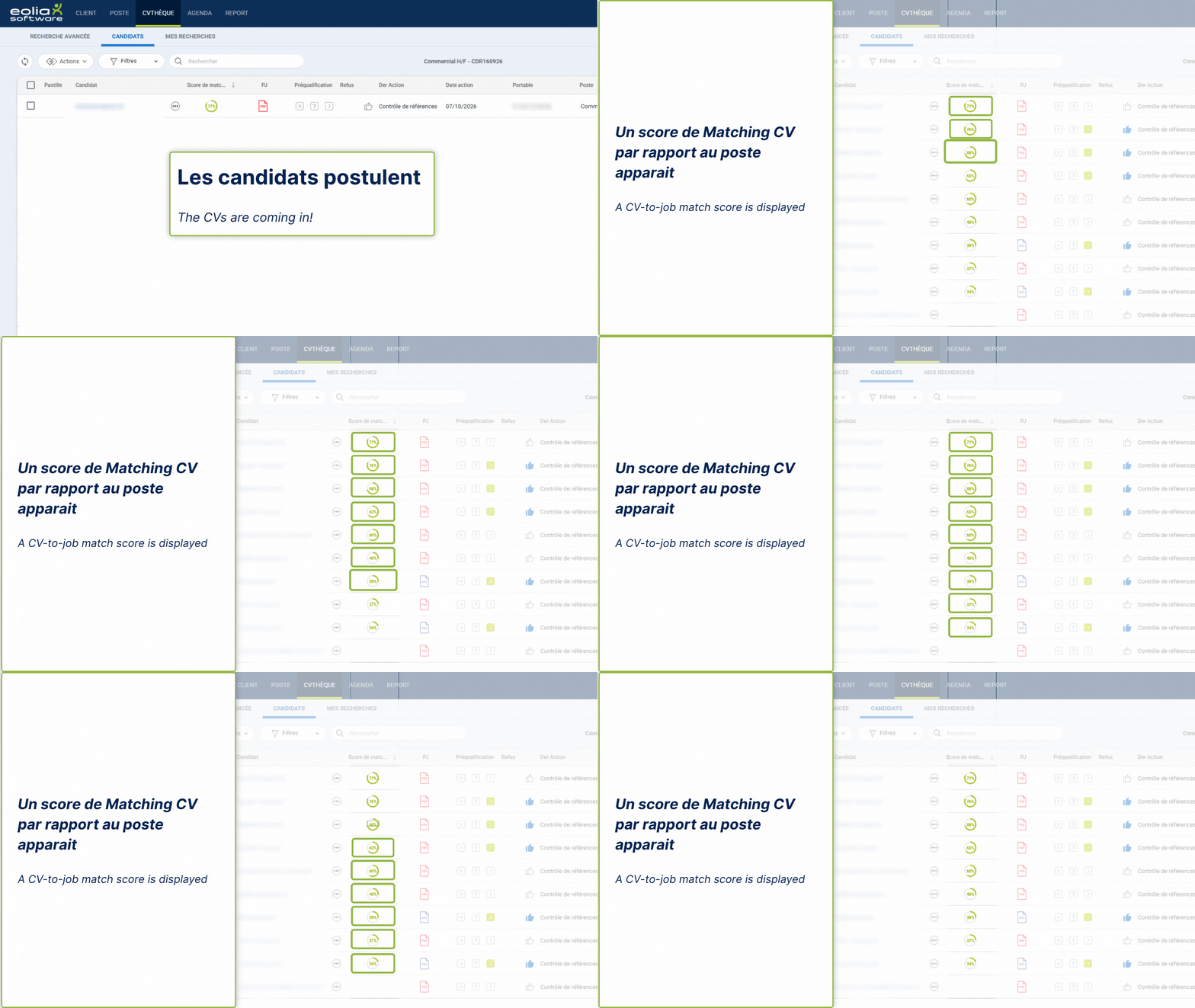
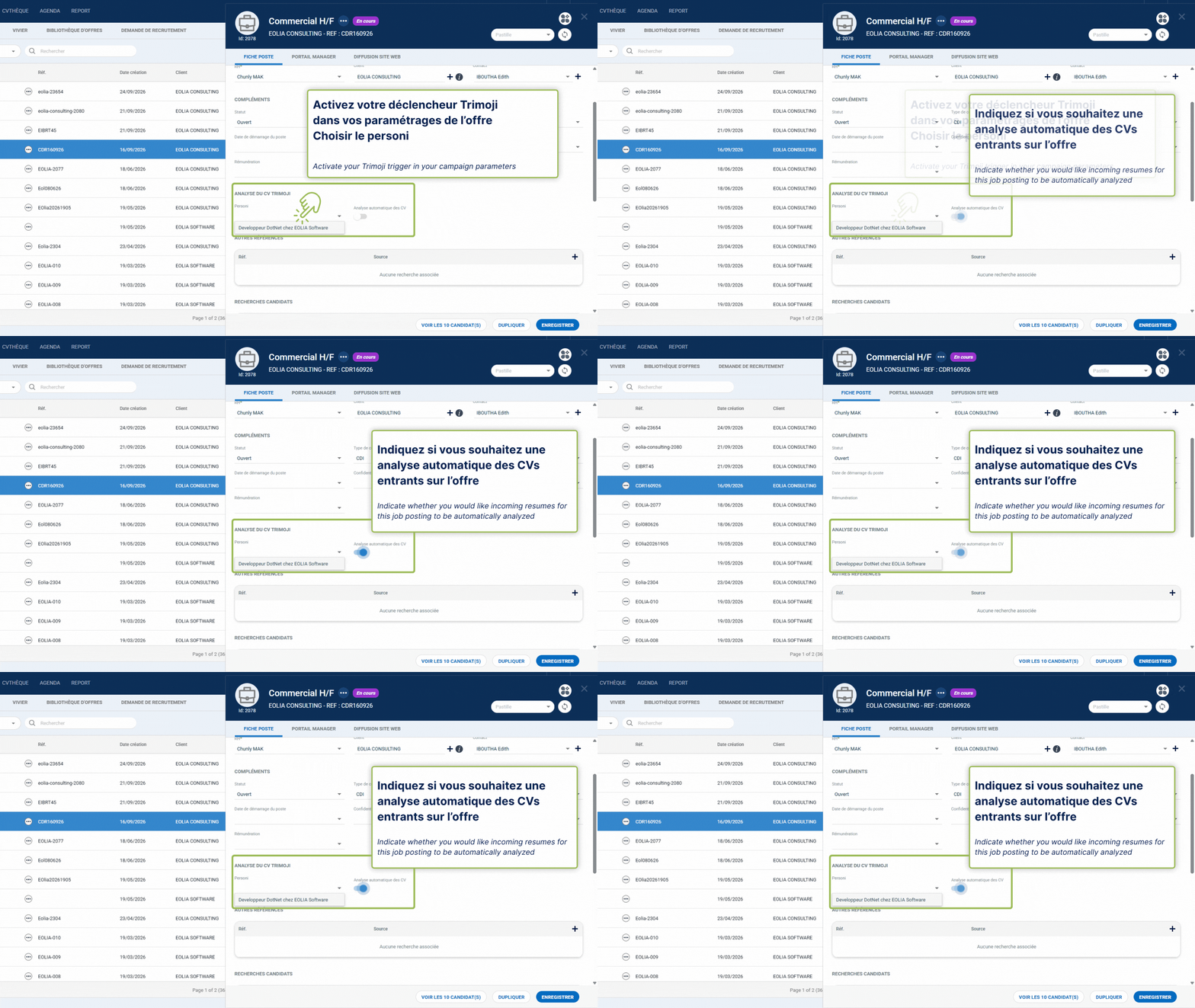
In Eolia Software, open the relevant recruitment opening. Access the opening settings and activate the Trimoji trigger. Then, select the Personi previously created in Trimoji. You can configure automatic analysis of new applications received for this opening.
Step 4 - Let Trimoji analyze your applications
Once the trigger is activated, incoming CVs are automatically analyzed based on the associated Personi. Trimoji compares CV information to job criteria and calculates a matching score. Each application is evaluated using the same benchmark, facilitating a structured initial comparison of profiles.
Step 5 - Find scores in Eolia
From the candidate list of your Eolia opening, view the matching scores calculated by Trimoji directly. You can see the results for different applications and open a profile's details for further analysis.
Step 6 - View the matching explanation
Access Trimoji's analysis details to understand the information used for the score. Identify matches and any discrepancies between the candidate's CV and your Personi criteria. These results enhance the recruiter's evaluation without replacing their judgment.
What are the advantages of Trimoji CV matching in Eolia?
Save time on application analysis
Automate initial CV analyses and reduce repetitive manual screening tasks. Your teams can dedicate more time to candidate qualification and engagement.
Analyze your applications based on common criteria
CVs associated with the same opening are analyzed using a shared benchmark. This approach facilitates comparison of career paths, skills, and professional experience.
Personalize your scoring for each position
Adapt matching criteria to the specific needs of each recruitment. You maintain control over the information sought and its importance in the score calculation.
Process more applications
Automation allows for the analysis of a large volume of CVs without manually examining each application upon receipt. The goal is to facilitate the review of received applications, even with high volumes.
Facilitate collaboration between recruiters and managers
Share factual information about the candidate's fit with job requirements. Explainable results help structure discussions and better prepare for interviews.
Maintain control over your decisions
Trimoji assists in application analysis. Matching scores should not be interpreted as an automatic acceptance or rejection. The final selection remains the responsibility of the recruiters.
Trimoji × Eolia: two complementary solutions
Eolia Software centralizes applications, organizes recruitment processes, and supports HR teams in managing their hiring.
Trimoji complements these functionalities with artificial intelligence specialized in CV analysis and matching against job requirements.
The connection between the two solutions allows:
✅ Defining a personalized ideal profile with Personi.
✅ Automating the analysis of incoming CVs.
✅ Calculating matching scores against job openings.
✅ Viewing scores directly within Eolia.
✅ Accessing analysis details.
✅ Triggering on-demand CV analysis.
Eolia manages your recruitment. Trimoji enhances your candidate analysis.
FAQ - Trimoji × Eolia Software Integration
Is Trimoji compatible with Eolia Software?
Yes. Trimoji has an API integration with Eolia Software to automate CV analysis and matching, and view scores directly in the ATS.
What does the integration between Trimoji and Eolia allow?
The integration allows associating a Trimoji Personi with an Eolia opening, automatically analyzing incoming CVs, calculating matching scores, and accessing detailed results.
Can CVs be automatically analyzed in Eolia?
Yes. After creating a Personi in Trimoji and activating the corresponding trigger in Eolia, new applications can be automatically analyzed and scored according to job requirements.
How does CV scoring work with Trimoji?
Trimoji compares professional information in the CV with the Personi requirements: skills, experience, education, and other criteria defined by the recruiter. The result is presented as a matching score with explanatory information.
Can matching criteria be customized?
Yes. Recruiters can configure their Personi in Trimoji, modify the desired skills and experience, and adjust weightings to tailor scoring to each role's needs.
Can candidates already in Eolia be analyzed?
Yes. You can trigger a Trimoji analysis from an Eolia candidate profile and select the job to compare their CV against.
How long does it take to connect Trimoji to Eolia?
The API connection is activated within the day with the support of Eolia's team.
Do you need to leave Eolia to view matching scores?
No. Matching scores appear directly in Eolia. Personi creation and modification are done within Trimoji.
Does the Eolia integration allow for personality assessment of candidates?
No. The Trimoji × Eolia connector focuses solely on CV analysis and matching. Trimoji's personality and soft skills assessment features are not included in this integration.
Does Trimoji's AI replace the recruiter?
No. Trimoji provides analytical support by comparing CVs to job requirements. The recruiter remains responsible for interviews, selection, and final decisions.
Connect Trimoji to your Eolia Software ATS
Already using Eolia to manage your recruitment? Add Trimoji's intelligent CV matching to your workflow.
Automate application analysis, view your scores directly in Eolia, and activate your connection within the day.