Trimoji Integration with Nicoka
ABOUT TRIMOJI
Trimoji in a nutshell
Trimoji identifies key personality traits, soft skills, ideal work environments, and interpersonal compatibility through a 15-minute assessment. To use this test, you need a Trimoji account.
API KEY
Get your Trimoji API Key
Go to your Trimoji dashboard to retrieve your API key.
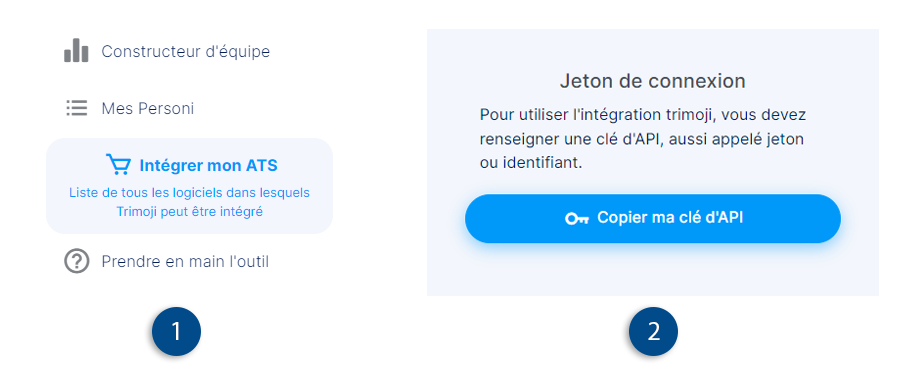
- Click on « Integrate my ATS » in the left-hand menu.
- Retrieve your API key by clicking the « Copy my API key » button at the top right.
CONFIGURATION
Configure Trimoji on Nicoka
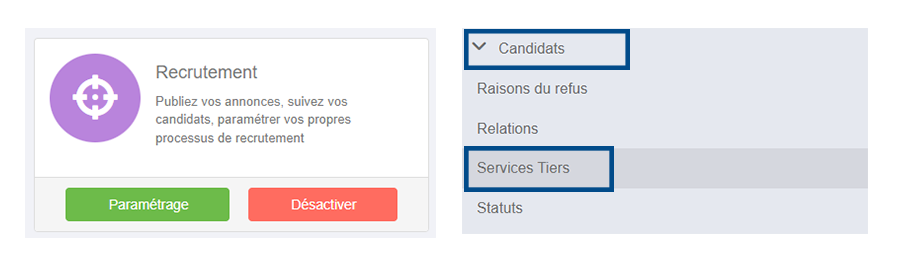
On your Nicoka dashboard, go to the modules page and click the « Settings » button for the recruitment module. Access the « Candidates » tab to find the « Third-Party Services » submenu. This is where you can create your Trimoji service.
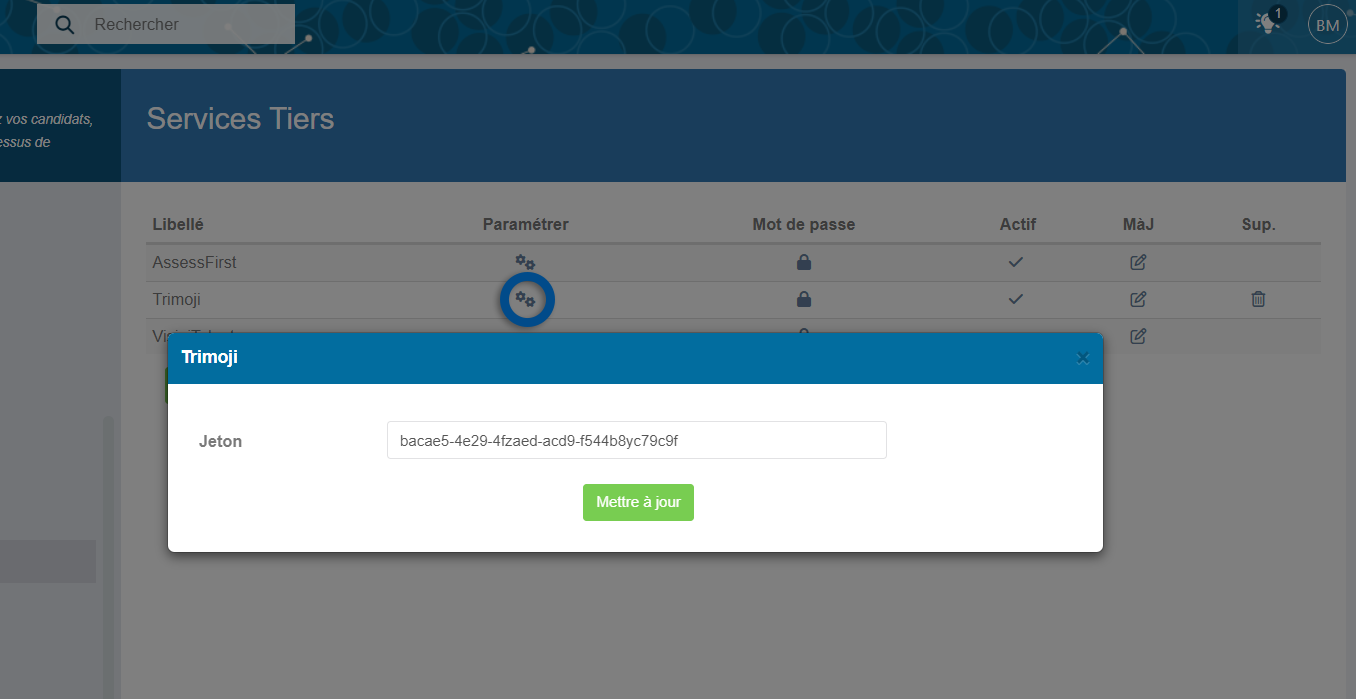
You will simply need to select the service name and a label. No username or password is required.
Once the service is created, click the « Configure » gear icon to paste your Trimoji API key. After configuration, ensure the service is active.
SENDING INVITATIONS
Send a Trimoji Invitation
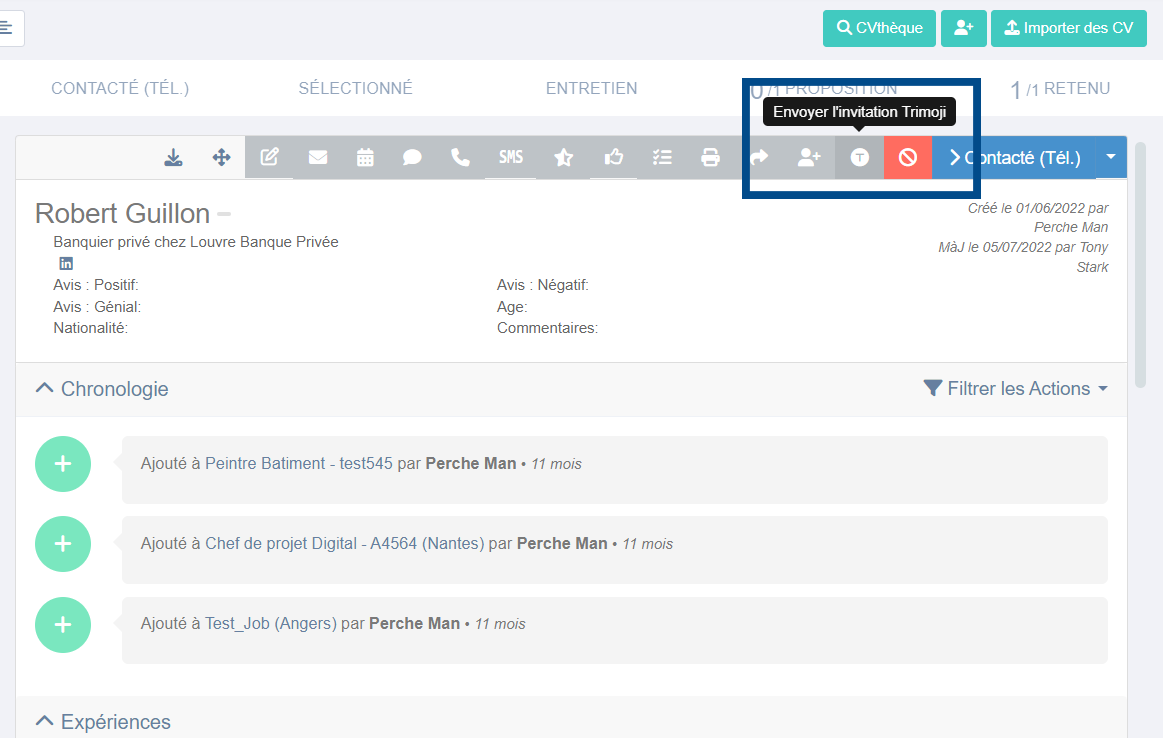
To send an invitation to take the Trimoji test, select the candidate on the candidate list (on the job application page or the list of all candidates). Click the « Send Trimoji Invitation » button on the right and confirm the sending.
Note : You can send as many reminders as you wish.
You will receive a notification as soon as the candidate completes the test. You can view the report from Nicoka in the candidate's « Documents » section.