
Managing Rejected Applications: A Rejection Isn't the End of the Road
Provide every candidate with a complete experience, even when the answer is no.
Every recruitment leaves behind qualified, motivated candidates who are already interested in your company. A rejection email closes the door on one offer, but it doesn't have to close it on all others. With Trimoji, the rejection sent by your ATS becomes an invitation to discover your other opportunities.
Request a Trimoji DemoThe Stakes
Why Turn Your Rejections into Opportunities?
In most companies, a rejected candidate disappears from the radar. This is a shame for both them and you:
- ❌ High-quality candidates are lost when they could be a fit for another role.
- ❌ The candidate receives a standard message with no further guidance.
- ❌ Your employer brand is also shaped by how you say no.
- ❌ Each new opening starts from scratch, even though your talent pool already exists.
- ❌ Your recruiters don't have time to contact rejected candidates individually.
- ❌ Rejected candidates remain difficult to match with open positions.
With Trimoji, you move from a rejection that ends the conversation to one that extends the relationship.
How it Works
How Trimoji Turns a Rejection into an Opportunity
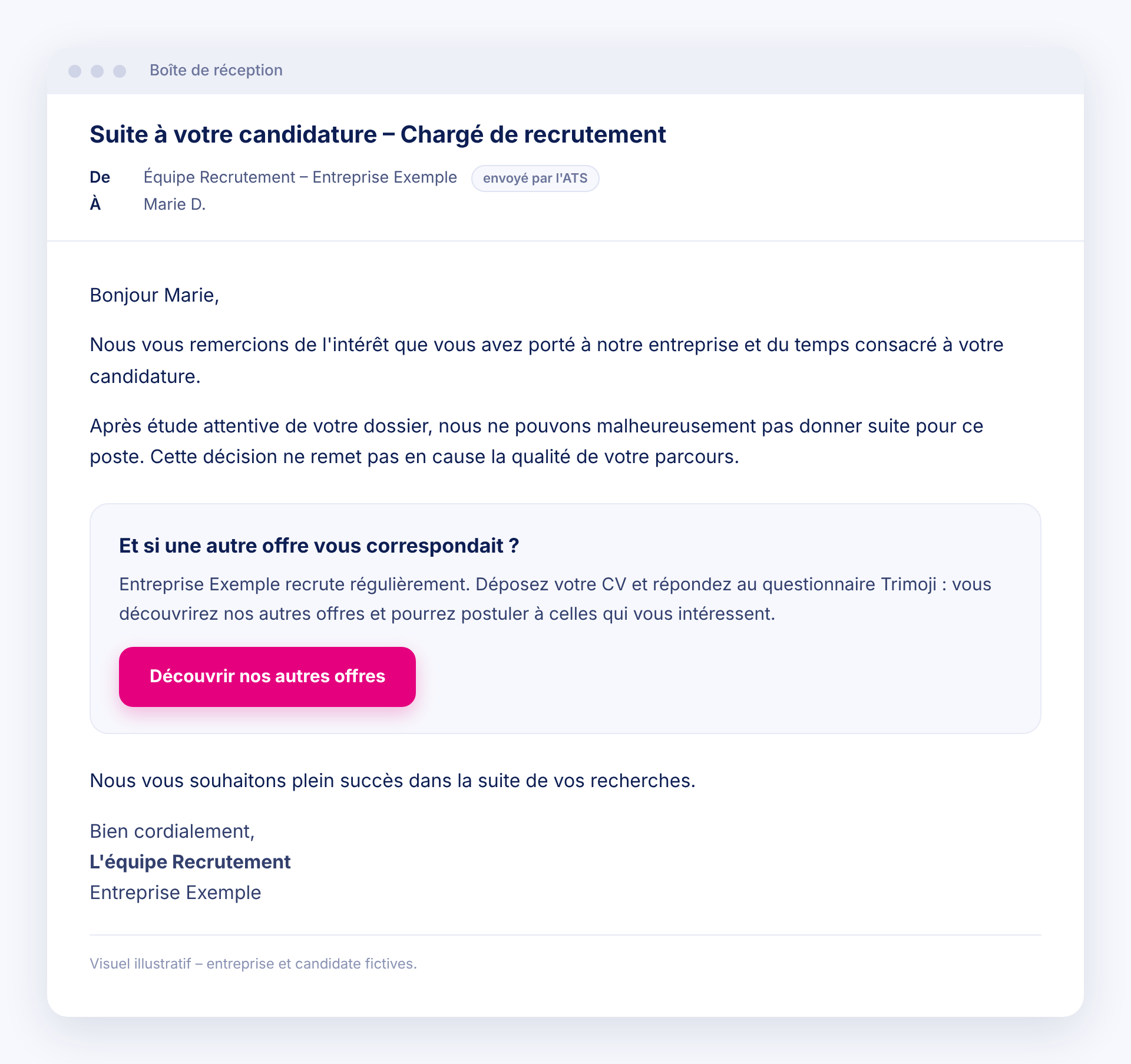
1. The rejection is sent, with a Trimoji link
Add a Trimoji passing link to the rejection email template sent by your ATS. Your message remains yours, with your tone and words. The link simply invites the candidate to continue.
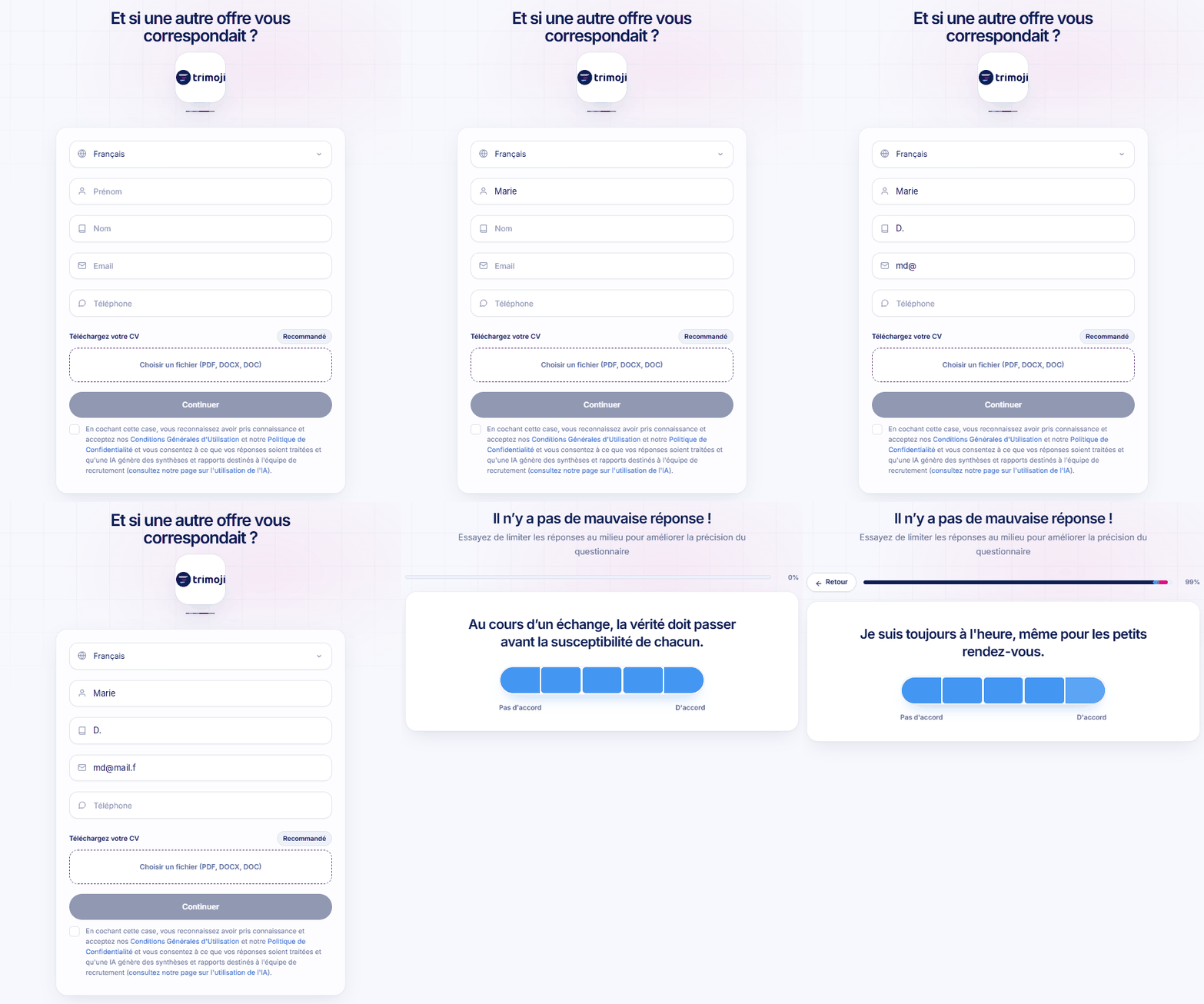
2. The candidate submits their CV and takes the assessment
In a few minutes, they submit their CV and answer the Trimoji assessment. Livi structures their CV, and the assessment highlights their personality and soft skills.
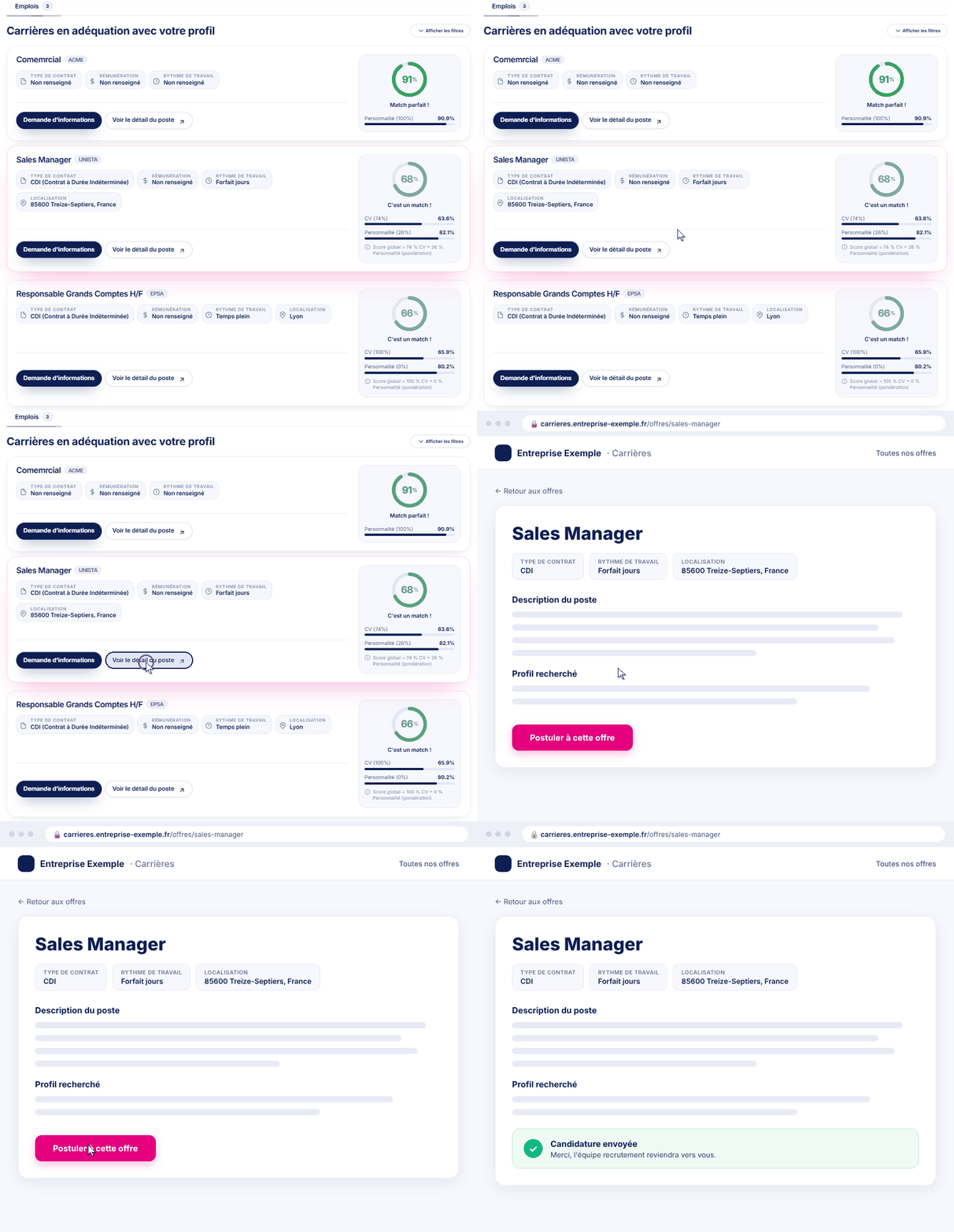
3. They discover your other openings and apply
The candidate sees other openings at your company that might be a good fit. Clicking on "View Job Details" opens the listing on your careers site, where they can apply directly. They remain in control of their job search.
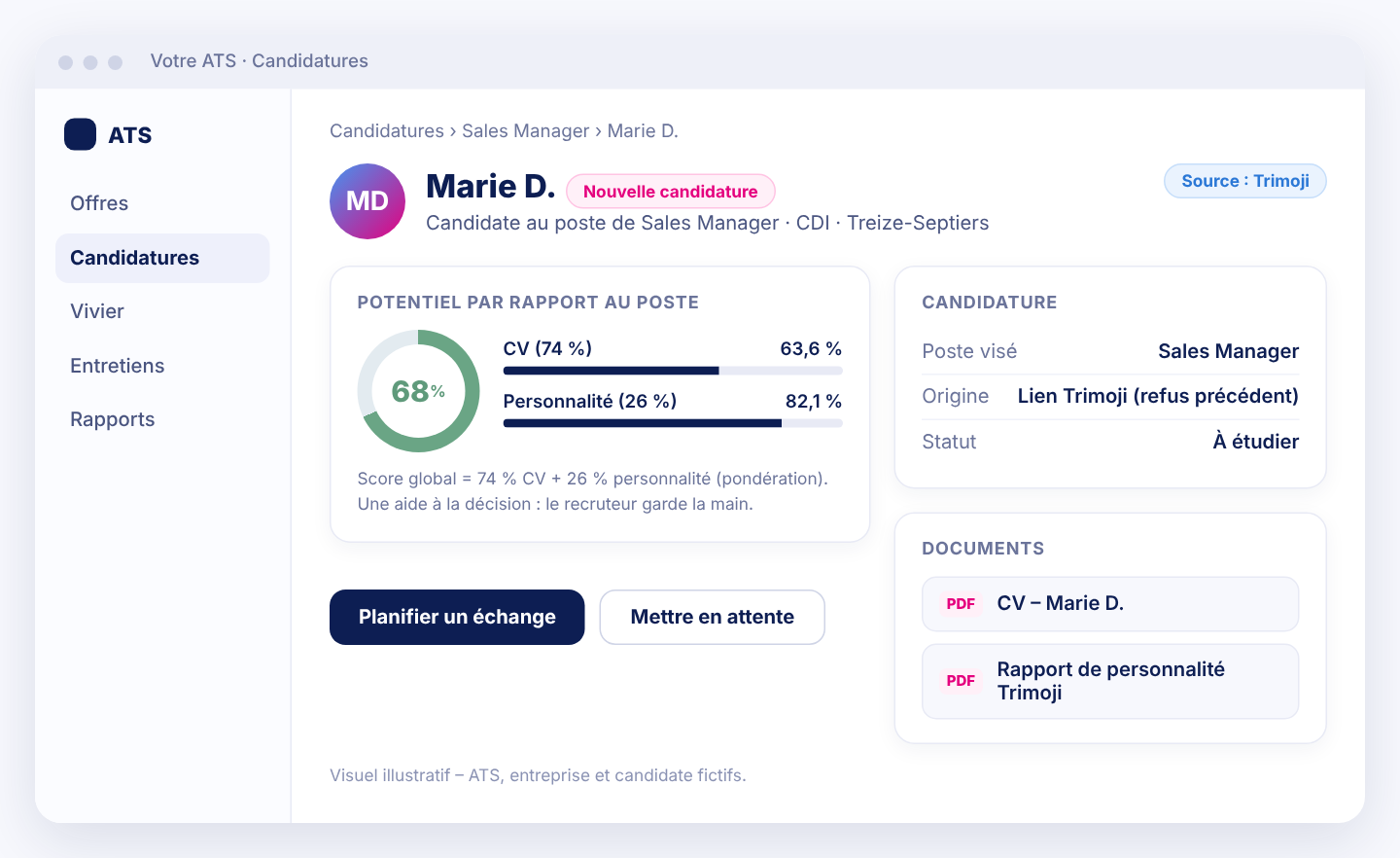
4. Your team finds the application in the ATS
The new application enters your standard process. The recruiter can assess the candidate's potential for the targeted role, using explainable criteria, and decide on the next steps.
Integration
Integration Designed for Your ATS
Trimoji integrates with over 10 ATS platforms. For managing rejected applications, the platform helps you to:
- 1️⃣ Collect CVs and candidate responses via the passing link.
- 2️⃣ Analyze CVs with Livi and enrich each profile.
- 3️⃣ Compare profiles to your open positions using Personi.
- 4️⃣ Push new applications into your ATS.
Your recruiters maintain control at every step.
Trimoji helps them make decisions; it never makes them for them.
Benefits
Advantages of Intelligent Rejection Management
- ✅ A respectful candidate experience, throughout the entire process.
- ✅ A strengthened employer brand, even with unsuccessful candidates.
- ✅ An active talent pool, continually replenished with each recruitment.
- ✅ Pre-qualified applications for your other openings.
- ✅ Fewer manual follow-ups for your teams.
- ✅ Explainable recommendations and always human-driven decisions.
- ✅ Data hosted in France and compliant with GDPR.
Every candidate deserves a response, and sometimes a second chance to be noticed. With Trimoji, a rejection can become the start of a new application.
Request a Trimoji Demo